Built: Second City Citation — A Live Chicago Parking Ticket Tracker
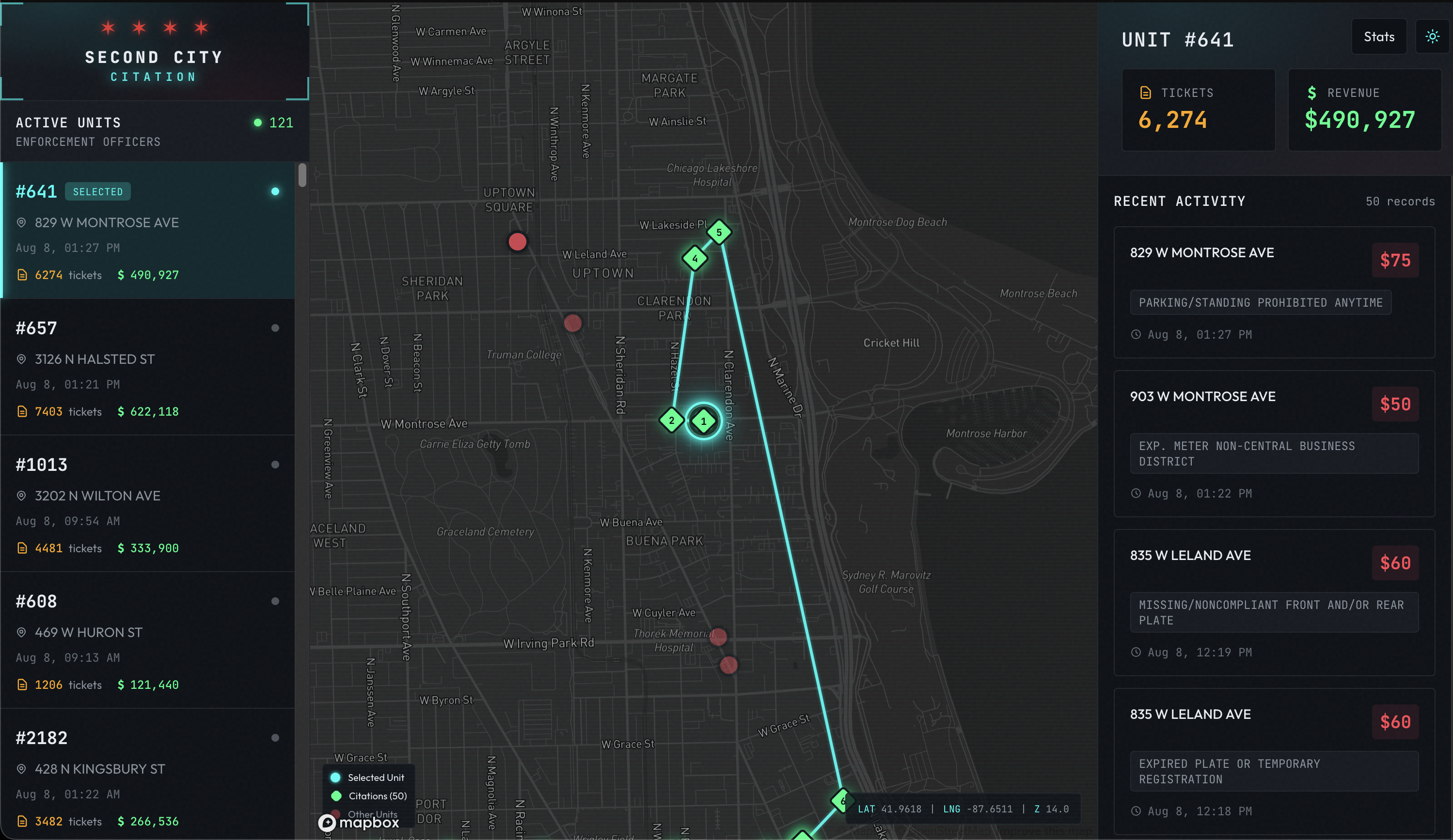
I saw this project from Riley Walz a few months ago reverse engineering the SF parking ticket system, and thought “hey can I do this for Chicago?”. So I took some inspiration from Riley’s approach, but Chicago had a bit more fun with their parking system…
First, I took a look at what the City of Chicago has to offer for the public to view and pay parking tickets. I’ve gotten a few of these myself, so I was unfortunately already quite familiar…. You enter a ticket number, and you’re able to see the why & when. But, there’s an hCaptcha blocking the UI…
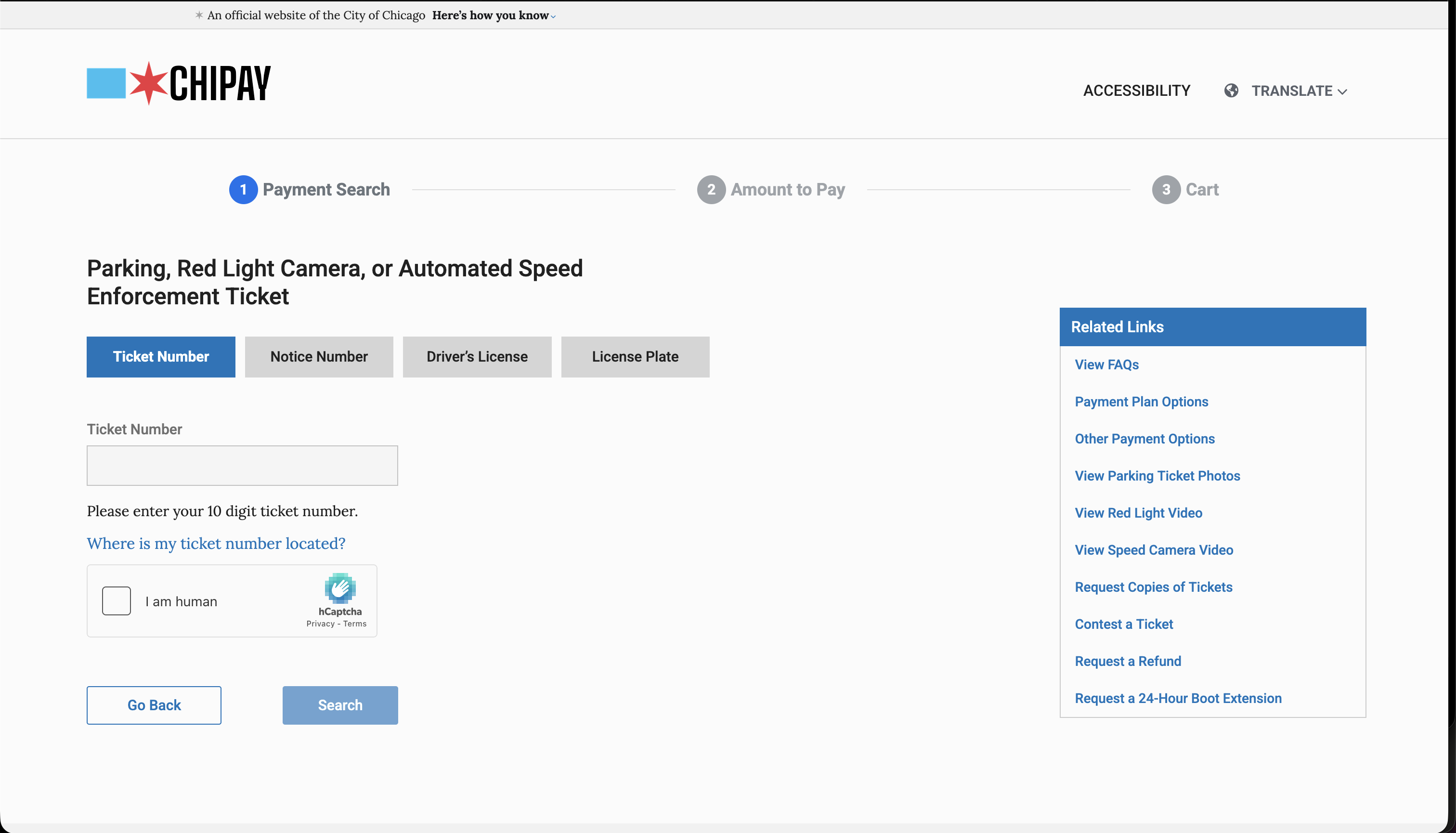
Let me just take a look at a few of the API requests from the console and see what I can find…
POST https://webapps1.chicago.gov/payments-web/api/searchesI found this endpoint, messed around with it, and was able to get back results, and they don’t attach or verify the hCaptcha token on the backend. Just blocks a button on a UI. Wild stuff.
While I was figuring out how ticket sequencing works, after about an hour I started seeing 500 errors, and thought I was doing something wrong, or they caught on to my antics. So I inspected the request a bit further, and noticed there’s an Authorization header, where’s this token coming from? All it contains is something like the following.
{
  "sub": "10ff3117-38b6-4902-9b8e-49129d7a7fa7",
  "exp": 1775415196,
  "iat": 1775411596
}
Was quickly able to find that the initial page showing you the options of Chicago webapps, registers a token on page load here. Hits a simple endpoint with a few headers, and now we’re back in business.
GET https://webapps1.chicago.gov/payments-web/security/tokensBut, come on. 500 error for an ‘authorization’ issue? There goes ‘RESTful’….
Now, once we’re in the portal, here’s some of the data we see.
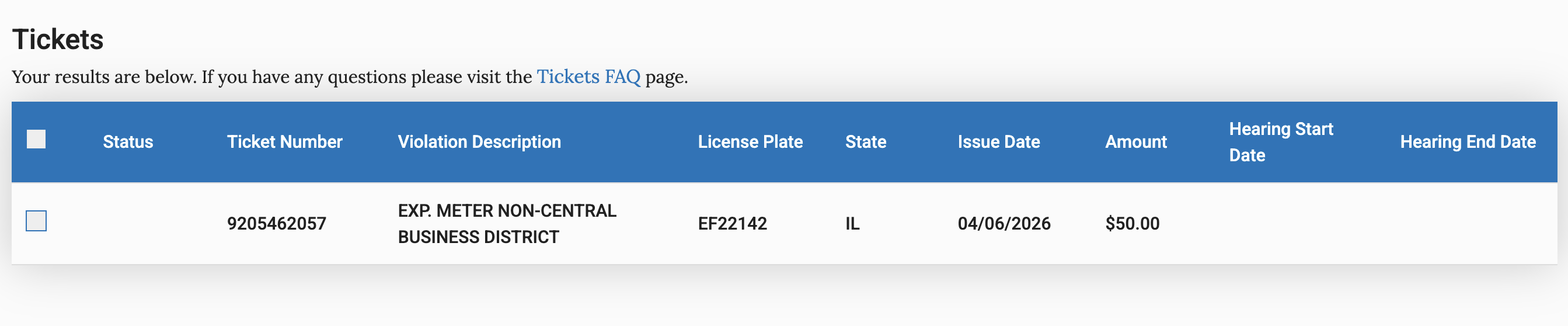
Great, we see a date, an amount, and a reason for the violation. For especially naughty drivers, you’ll see a list of all the violations you might have too, and a place to pay for them.
However, we’re still missing some key info here to get a map of parking officers, no officer ID or location seen here. No other funny business from the endpoints here I can find, they return clean data for the UI and no parameters to change which can ‘leak’ some info. Hmmmmmm.
Then I remembered, the City provides images as proof for parking violations, anything interesting we can find there? Let’s see!
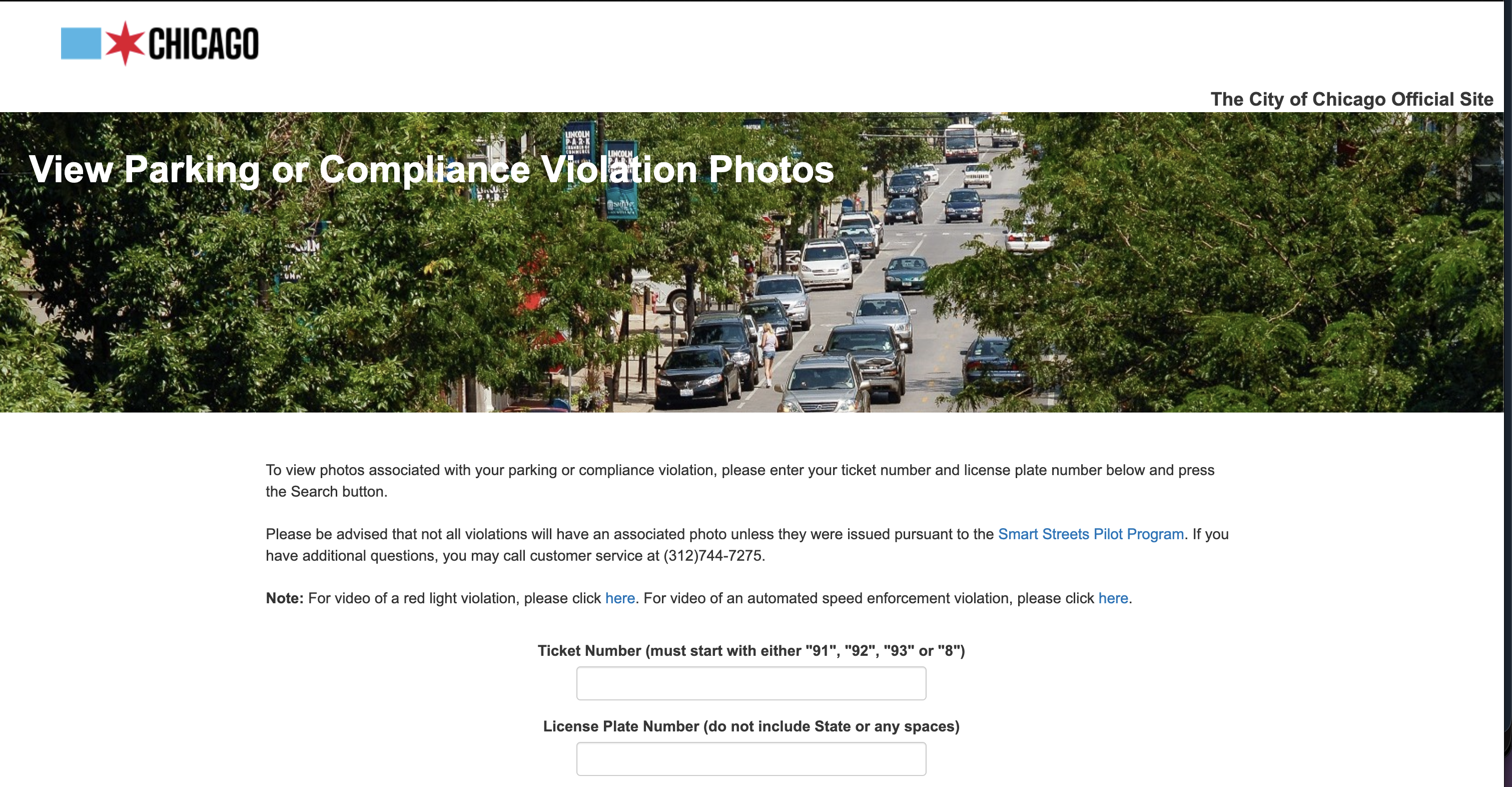
Great, we’re able to find parking images using a ticket number (which we can ‘predict’), and using the portal from earlier, use the license plate number to get images.
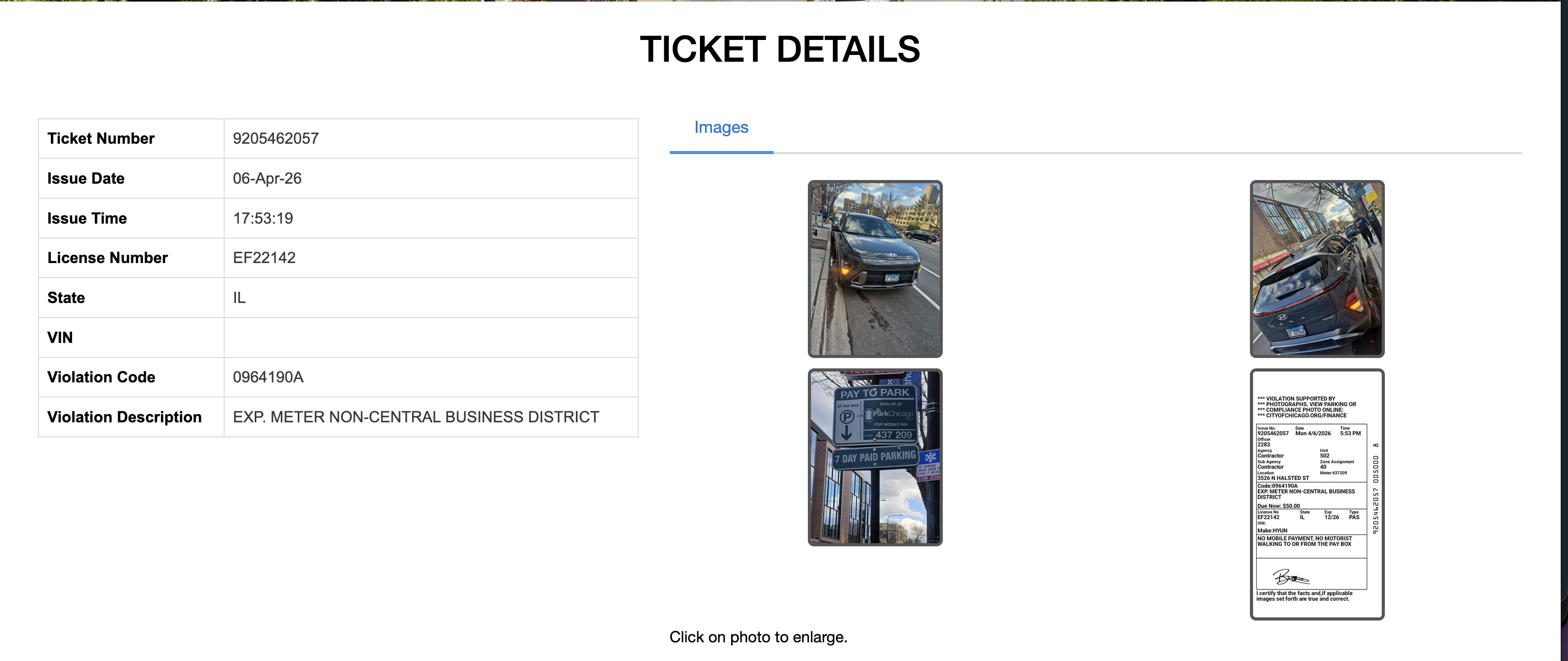
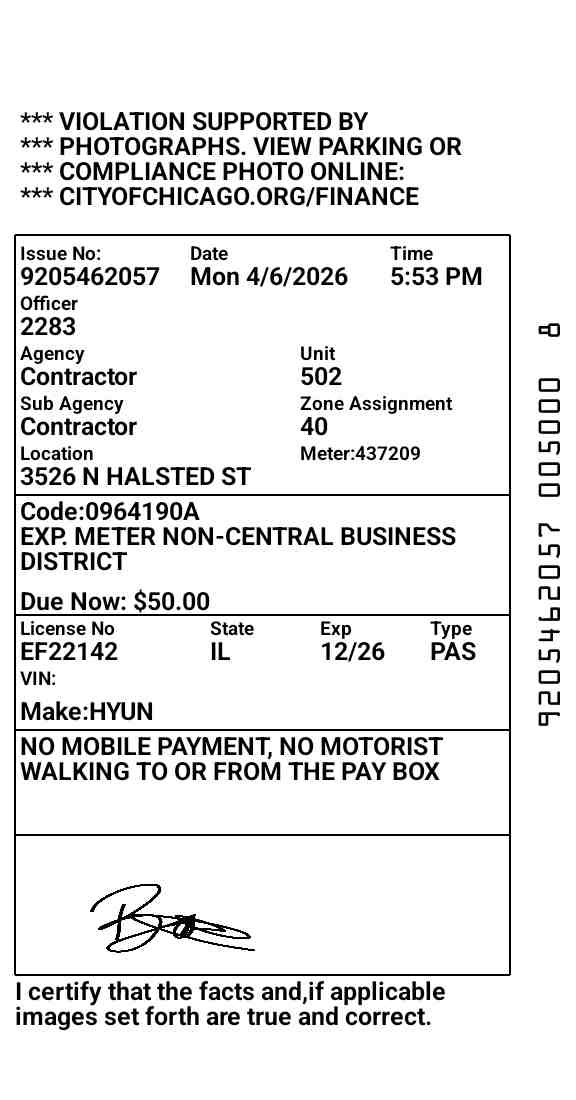
Here’s a sample ticket pulled from earlier, we can see images of the vehicle, and a full view of the ticket, the officer number (likely associates with the enforcement officer identifier, or the device they use when distributing tickets), a location and time. Using a tesseract OCR library, we can extract & process all of this data quite easily.
Now, we have all the information we need to start pulling all of this data into a database. Naively, I start polling for IDs sequentially, and seemed to work for the most part, but would run into ‘dead’ ticket numbers in varying intervals, sometimes 7, 12, 15, 50, you name it. Something I was able to pattern detect pretty quickly is that officers will ‘skip’ issuing a ticket across different zones, shifts, days etc.
Moved a block over? Skip a ticket.
Had lunch? Skip a ticket.
New day? Skip a ticket.
Sometimes even two, or three tickets — neat!
Once this was solved, I was able handle most tickets given sequentially by a given officer, within the day or few days the officer was ‘active’. But for the real head scratcher….
There comes a point where ticket distribution for a given officer hits a ‘boundary’, where tickets are no longer seen, API responds with a 422 error code. So, I started to wonder if instead of tickets being distributed sequentially, ticket numbers are ‘allocated’, as I know there are usually many officers out in enforcement at a time, and they each have a device which handles printing the ticket and capturing images for proof of violation.
You can spend some time doing a deep dive on City of Chicago contracts to fully see the scope of how the technology around parking enforcement was developed over time, here’s a little sample of what that documentation looked like.
Doing some additional crawling for tickets sequentially, I noticed the block size was sometimes exactly 200, and immediately cut off by getting the 422 response. For some blocks, the boundary is a 422, followed by the next ticket ID being a ticket issued by a different officer, sometimes in the future, sometimes way in the past, doesn’t seem like theres a consistent pattern here based on adjacent blocks. At this point, I make the assumption that ticket ID ranges are created and assigned to officers to fill. So, I decided to search on large intervals, and I found that the next ticket this officer gave was several thousand tickets away. I checked a different officer, and it was also several thousand tickets away, but not at the same interval. Even the intervals didn’t have any kind of consistent pattern I could find.
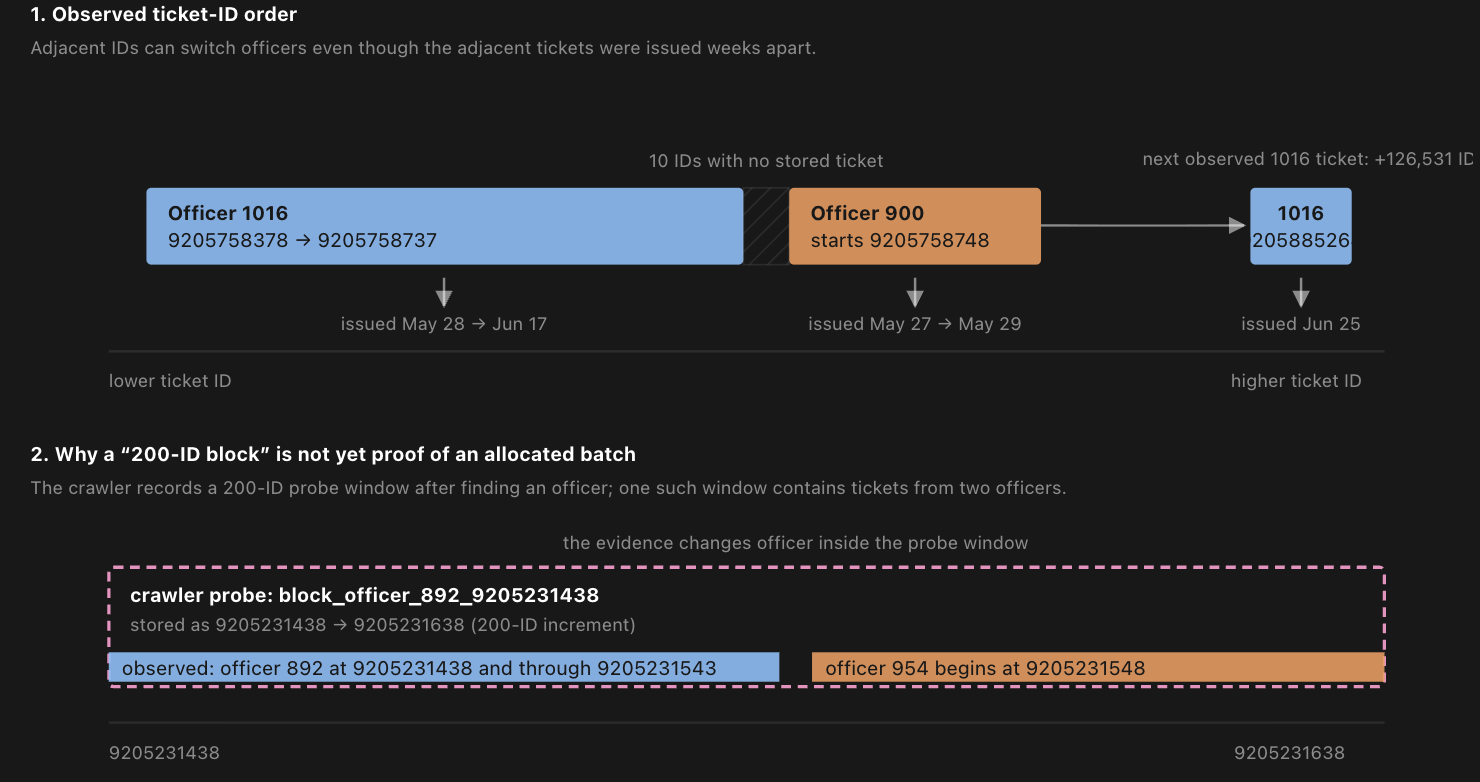
Given this, I decided to build the data model around these blocks, and indicate if the block is ‘active’ or not, which basically comes down to if its at the end of a ‘predicted’ block boundary. This worked pretty well, but still was not an accurate mental model for how ticket IDs were allocated.
With the help of GPT 5.6 Terra, a larger dataset of crawled tickets, and some long running agents running for a few hours, a more reliable scanner was built to better find and track ‘ranges’ of tickets being issued.
The scanner now looks at tickets from the last 7 days and groups tickets by how close they are to each other, this defines an active ‘band’ of tickets. A band at minimum spans a range of 40 tickets. A gap larger than 100 creates a new band.
Each band becomes a frontier with:
- a low and high ticket ID
- the last ticket issued
- priority based on recency
- number of tickets found within the band
The band is explored by a ‘hot’, ‘warm’, and ‘cold’ intervals. Hot is explored sequentially, warm is explored on a sampling basis within a range (to account for skipped ticket numbers as previously mentioned), and cold is to find new bands across large intervals.
Ticket discoveries within the warm band qualify for an expansion of the band beyond 40 tickets, to support additional discovery. Continuous scanning of warm region of the band is supported to periodically check if the ticket gets issued eventually (ex. officer comes back from a break or accounts for long intervals between tickets).
Great, now we’ve got a reliable way to crawl recently issued tickets. The ticket scanner was built as a series of containers, mainly split by searching existing bands, finding new bands, and geocoding addresses to render them on a map. I initially went down the cloud container as a service platforms, but they were somewhat cumbersome and expensive for a side project that was making no money. Even just looking at simple VMs were either way too small or way too big for what I needed.
So instead, I just took an old laptop I had that wasn’t doing anything, put Debian Linux on it, and turned it into a self-hosted server. Using coolify, I turned it into a more robust ‘cloud’ platform that let me observe, monitor, and easily setup + configure deployments. I was able to take both the web app & container services and deploy with coolify with some simple setup.
In preparation for a more ‘public’ launch, I wanted to make sure everything was secure before exposing hardware that runs in my apartment to be publicly accessible. With Cloudflare, I attached a domain to my server, closed off any unnecessary ports, and used Cloudflare Tunnels for anything that needed internal ‘admin’ access for SSH and my coolify console. To securely access my coolify console, I used Cloudflare Access to authenticate into my server from anywhere. For the web app, I used Cloudflare Cache to ensure that requests stay performant and load is minimized on my server, no matter where users might come from. It’s safe to say I’m a big fan of Cloudflare given all of this is just $5/month :)
Since working on this project, the City of Chicago has unsuccessfully and lazily tried to ‘curb’ my efforts. My server was IP blocked from their services, and they’ve since added a CAPTCHA to their parking ticket image viewer (note they still have not fixed the hCaptcha backend enforcement for the payment portal). I’ve been able to get around both of these issues quite trivially :)
I’m excited to see what they try next. In the meantime, you can enjoy https://secondcitycitation.com for now.